> ## Documentation Index
> Fetch the complete documentation index at: https://docs.useangie.com/llms.txt
> Use this file to discover all available pages before exploring further.
# Invoices & receipts
> Create multi-line invoices and send payment reminders
Invoices give you more control than a simple fee assignment — useful when you're billing a member for several line items at once.
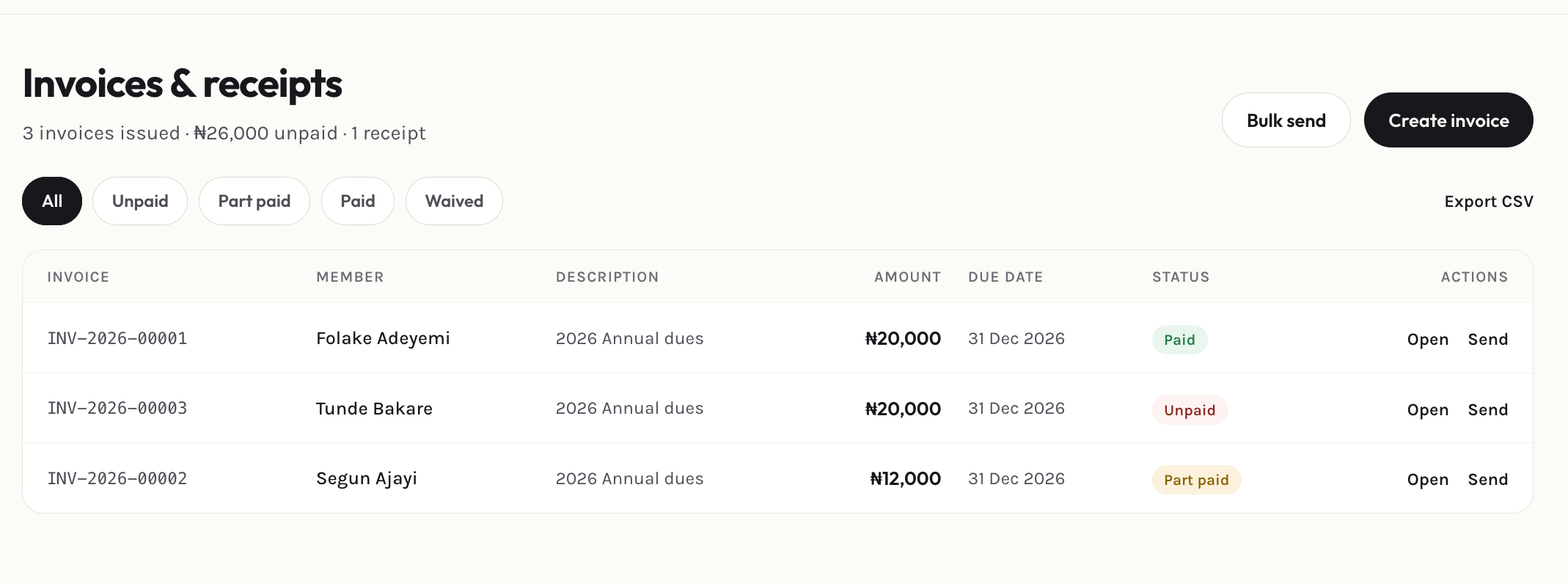 Select **Add invoice**, pick the member, and add as many line items as you need.
When the member pays (even outside the platform, like a bank transfer), record it against the invoice from its detail view.
Use **Remind** on a single invoice, or **Bulk remind** to nudge everyone with an outstanding balance at once. Pick which channel (email, SMS, WhatsApp) to send it through.
Download a receipt as a PDF from any paid invoice's detail view.
This documentation is built and hosted on [Mintlify](https://mintlify.com), a developer documentation platform.
Select **Add invoice**, pick the member, and add as many line items as you need.
When the member pays (even outside the platform, like a bank transfer), record it against the invoice from its detail view.
Use **Remind** on a single invoice, or **Bulk remind** to nudge everyone with an outstanding balance at once. Pick which channel (email, SMS, WhatsApp) to send it through.
Download a receipt as a PDF from any paid invoice's detail view.
This documentation is built and hosted on [Mintlify](https://mintlify.com), a developer documentation platform.